User Tools
how_do_i_use_the_dx_cluster
Differences
This shows you the differences between two versions of the page.
| Both sides previous revision Previous revision Next revision | Previous revision | ||
|
how_do_i_use_the_dx_cluster [2021/12/04 09:34] vk2az |
how_do_i_use_the_dx_cluster [2024/12/31 13:18] (current) vk2az [Submitting spots to the VKSpotter cluster] |
||
|---|---|---|---|
| Line 1: | Line 1: | ||
| ====== How do I use the DX Cluster? ====== | ====== How do I use the DX Cluster? ====== | ||
| - | '' | ||
| The cluster panel allows you to display spots from the global DX Cluster network. Our VKSpotter cluster is connected to other clusters (nodes) across the internet. | The cluster panel allows you to display spots from the global DX Cluster network. Our VKSpotter cluster is connected to other clusters (nodes) across the internet. | ||
| Line 42: | Line 41: | ||
| SA = South America | SA = South America | ||
| + | |||
| + | **TIP:** If you wanted to only display World Wide Flora and Fauna spots, after setting the filter you could enter " | ||
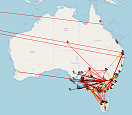
| + | {{ : | ||
| ====Submitting spots to the VKSpotter cluster==== | ====Submitting spots to the VKSpotter cluster==== | ||
| Line 49: | Line 51: | ||
| You can also access the VKSpotter cluster network directly via Telnet. | You can also access the VKSpotter cluster network directly via Telnet. | ||
| - | Point your favorite | + | Point your favourite |
| + | |||
| + | These days, to access any cluster you need to be registered. Send an email to logger@skybase.net and we will be glad to register you with the VKSpotter cluster. | ||
how_do_i_use_the_dx_cluster.1638570887.txt.gz · Last modified: 2021/12/04 09:34 by vk2az
Page Tools
Except where otherwise noted, content on this wiki is licensed under the following license: CC Attribution-Share Alike 4.0 International


